It’s 2026, and agents are doing more and more of our knowledge work. The more context we give them about our work, the harder the problems we can take on together. We spend hours with them — discussing problems, weighing tradeoffs, and most importantly, making decisions. But only a fraction of that context survives. The rest diffuses into the code and docs we leave behind, hopefully useful for the next agent (and human) who picks the repo up.
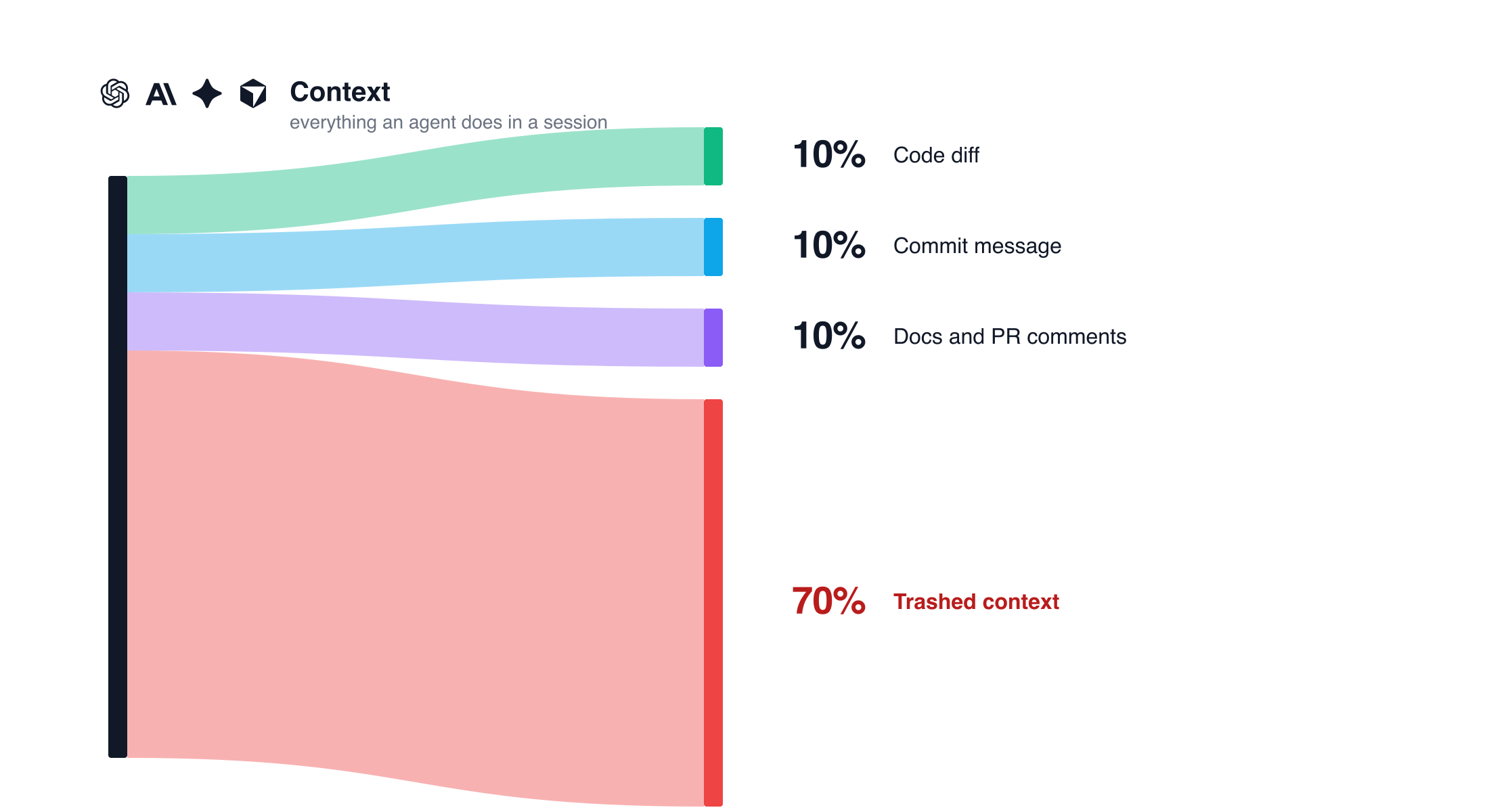
If we zoom out to a team of engineers, each one is making dozens of these micro-decisions a day: which library to use, which edge case matters, which idea to throw out. None of it lands in a commit message or a design doc. It lives for an afternoon and ends up as a JSON file buried somewhere on someone’s laptop. I can’t help but think about the waste. The incident at 2am where someone needs to know why a retry was set to 3 and not 10. The new engineer asking why we didn’t just use Postgres. All of that thinking already happened. We just didn’t save it.
Why not commit it to git?
A few people are already taking a shot at this. entire.io commits the agent’s trace directly into the repo alongside the code. traces.com takes a similar shape to what this post lands on: capture sessions from a bunch of agents and publish them with sharable links on its own platform. I decided to experiment with using HF buckets and a git note instead of a hosted platform or a committed file.
By keeping the link in git and the trace itself somewhere private, the repo stays clean. The trace lives in a bucket on the Hub. A git note connects the commit to the trace, so the history still points at the right session, but the session itself is gated. You pick who can read it.
That gives you a few things committing traces doesn’t:
- Access Controls. Different teams, different reads. Nobody has to see every session by default.
- Safe to open source. Your public repo doesn’t ship the agent’s prompts, local paths, or terminal output to every fork.
- Easy to take back. Remove access and it disappears.
Storing Traces in a Bucket
So I had Codex build a small Hugging Face CLI extension for it: hf-traces.
You can install it and set it up with two commands:
hf extensions install cfahlgren1/hf-traces
hf traces setup --bucket <namespace>/agent-traces --agents codex,claude
setup drops the agent hooks (Codex, Claude, whichever you list) and a post-commit hook into the current repo. From there, the agent hooks only do one thing: record which session JSONL is currently active. The actual upload happens on git commit. The post-commit hook reads the active session, pushes the trace to your bucket, and attaches a git note to HEAD with the URL.
The whole thing runs locally. No GitHub app to authorize, no CI plugin to install, no service watching your repo from the outside. Agent hooks on your machine, a git hook in your repo, an HF token to push the trace. Nothing really changes in your workflow.
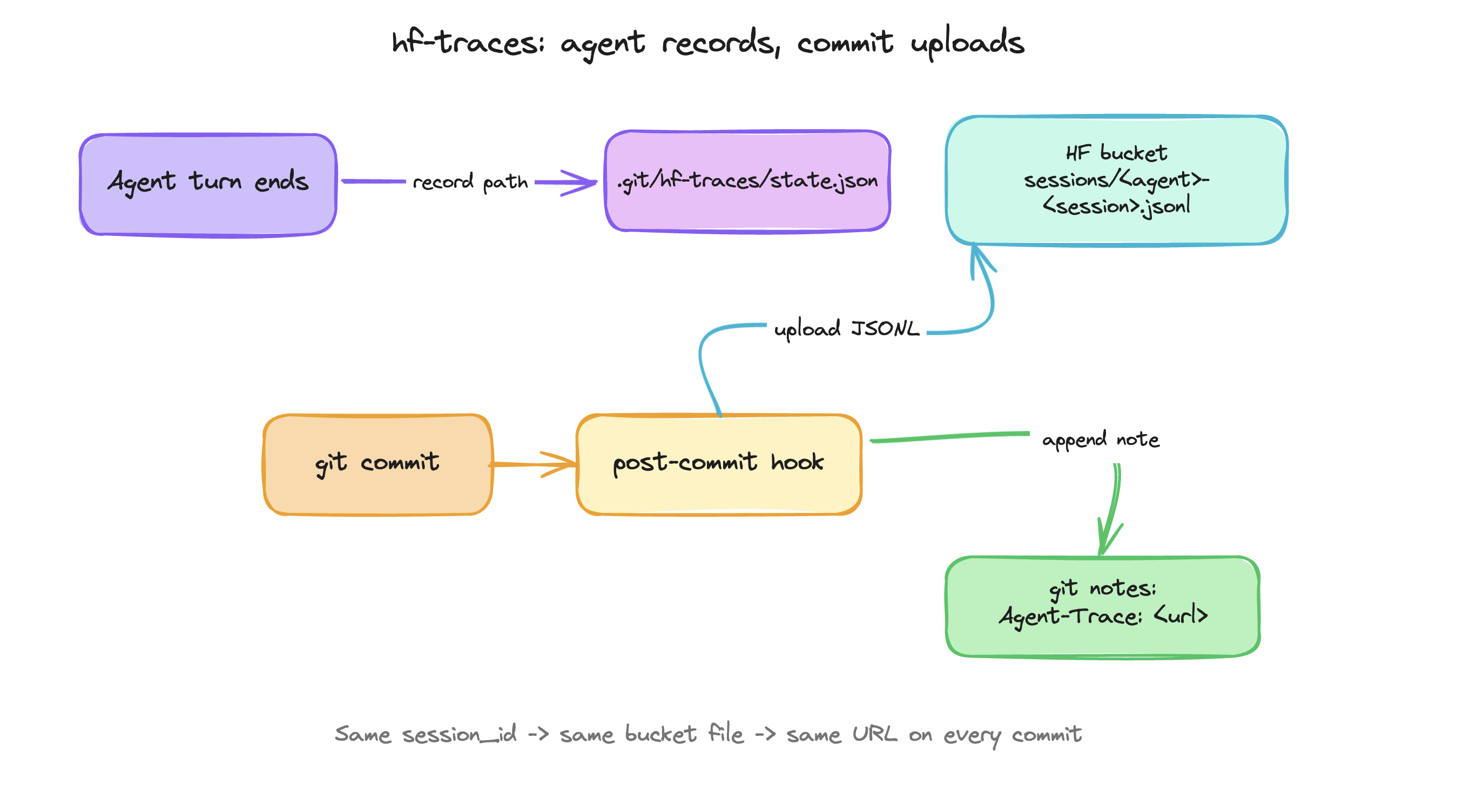
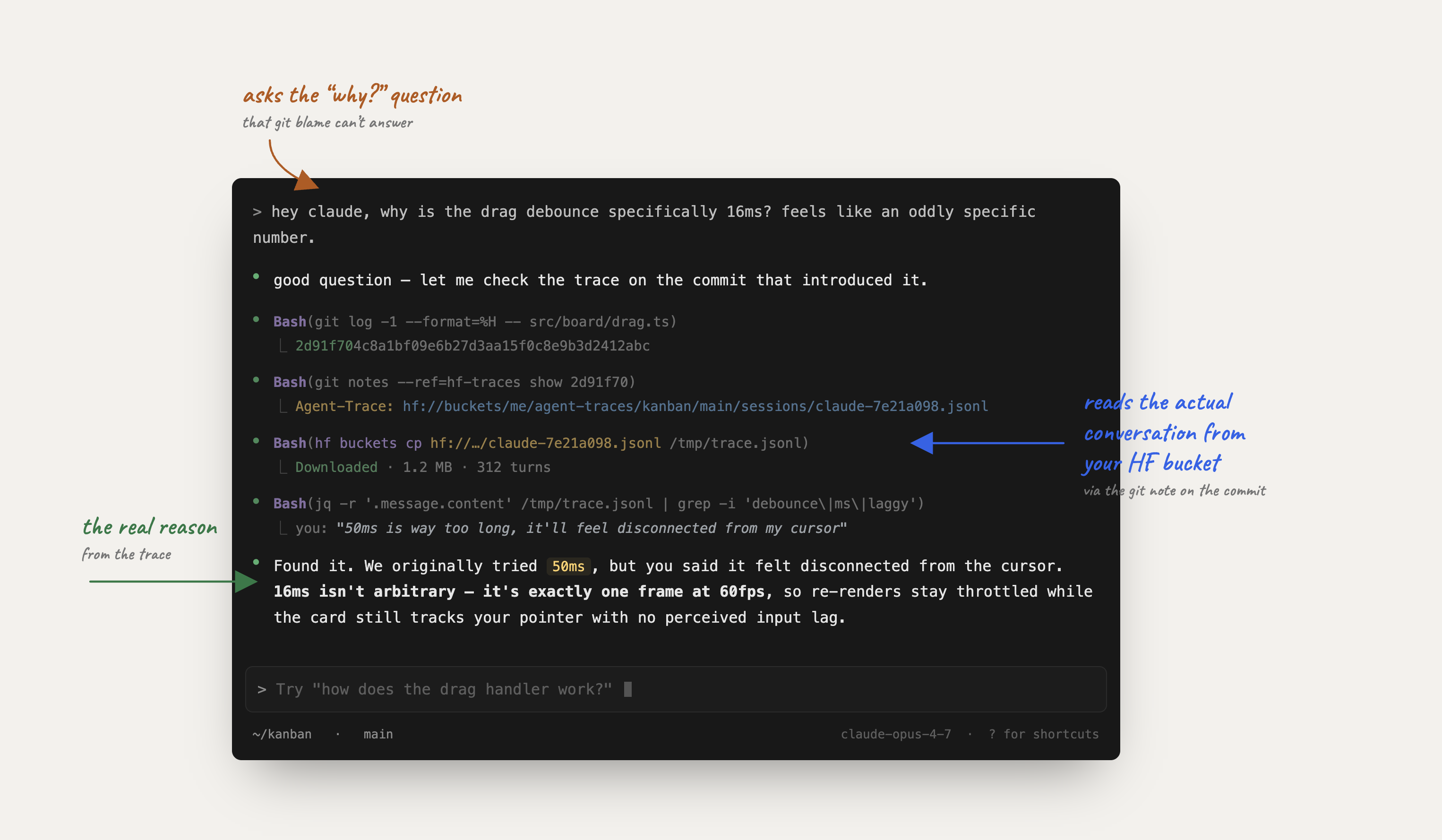
The lookup side is where this actually pays off. Months later, you (or another agent) looking at any commit can run:
git notes --ref=hf-traces show HEAD…and get the URL to the exact session that produced it. Open it in the viewer or feed the JSONL straight to another agent.
A few things that opens up:
- A new agent picking up the repo can blame a confusing function and read the conversation that built it, not just the diff.
- An agent doing a refactor can pull the original session and see what was already tried, what failed, what got thrown out. The reasoning the diff dropped is right there.
- An incident review can replay the actual decisions instead of asking around.
What owning your traces unlocks
A few things start to compound once the trace lives in a bucket instead of on your computer.
Your context moves with you. OpenClaw, Hermes, a Codex Connection on a remote box: every new place an agent runs can pull from the same bucket. The history doesn’t get re-derived from scratch on every device.
Other frameworks can read it as memory. A bucket is just files. Any agent that can ingest JSONL can use your sessions as long-term context. No proprietary memory format, no plugin to install. Drop the bucket URL into another agent and let it figure out what to do with the history.
Team context compounds. Once everyone is pushing to the same bucket, you stop losing institutional knowledge to “ask whoever was on call last week.” Onboarding a new engineer (or a new agent) is one read grant away.
Share the good ones
Once the trace lives in a bucket, you can hand it to someone. The HF agent trace viewer renders any JSONL in the bucket as a real session: prompts, tool calls, file diffs, the whole path the agent took. Next time an agent does something genuinely interesting, send the link instead of trying to retell it.